
Getting Started with Context Mesh: A Quick Tutorial
Learn how to set up your first Context Mesh project step-by-step. This hands-on tutorial guides you through creating a Personal Expense Tracker and understanding the Intent → Build → Learn cycle.
Getting Started with Context Mesh: A Quick Tutorial
Have you ever asked AI to generate code, only to realize three months later that you have no idea why certain decisions were made? That's the problem Context Mesh solves.
The Problem: AI-generated code works, but context disappears. Three months later, your own code looks foreign.
The Solution: Context Mesh makes context the primary artifact. Instead of code first, documentation later, you create context first, and code becomes its manifestation.
In this tutorial, we'll build a Personal Expense Tracker together. The key insight: You don't need to create any project structure or install anything manually. Just create the context, and the AI will build everything for you.
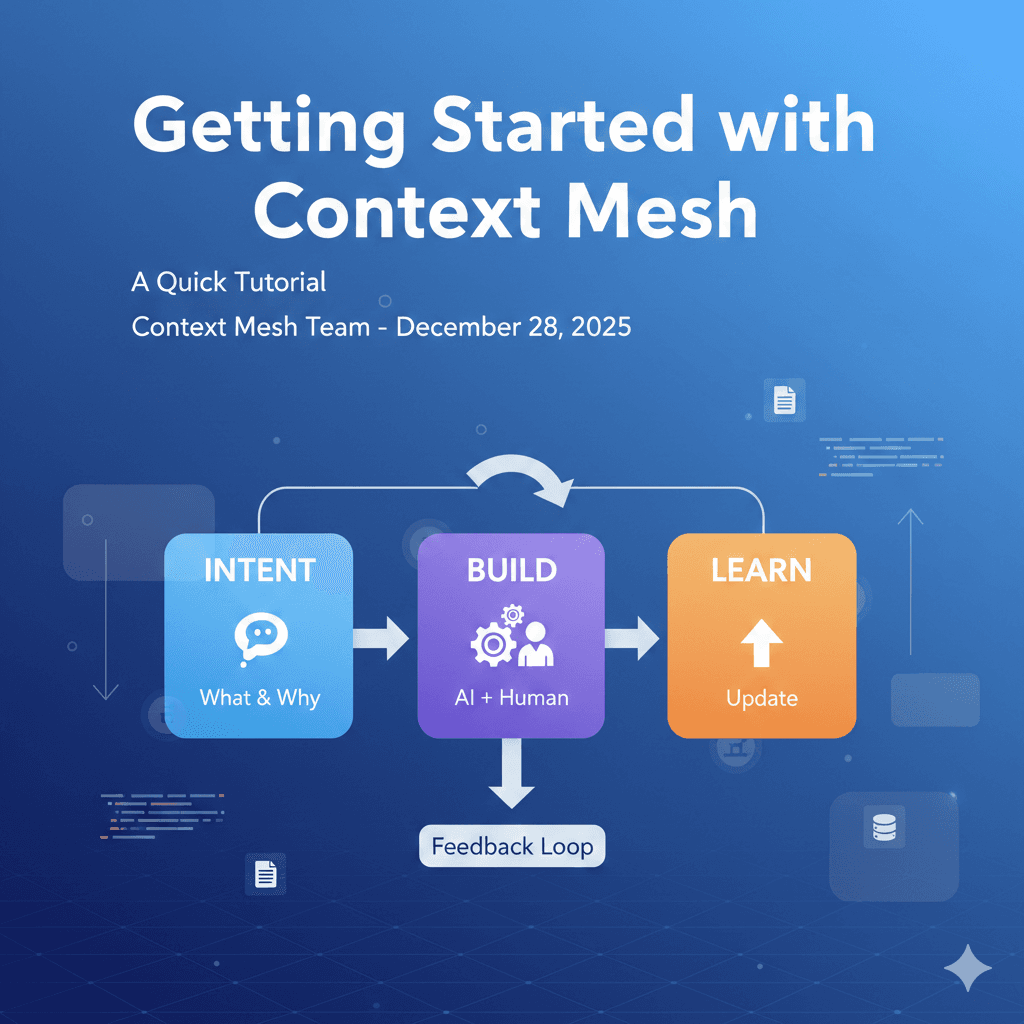
Understanding the 3-Step Cycle
┌─────────────┐     ┌─────────────┐     ┌─────────────┐
│   INTENT    │ ──► │    BUILD    │ ──► │    LEARN    │
│  What & Why │     │  AI Creates │     │   Update    │
└─────────────┘     └─────────────┘     └─────────────┘
- Intent: Document what you're building, why, and how (technical decisions)
- Build: AI creates the entire project structure and code following your context
- Learn: Update context with what worked and what didn't
The Magic: In Intent phase, you document everything in detail - even project structure, package versions, and setup commands. Then in Build phase, the AI reads your context and creates everything from scratch.
Step 1: Create Your Complete Context (Intent Phase)
The goal is to create a complete context that tells the AI everything it needs to know. You'll answer questions from the new-project prompt, and we'll provide detailed, copy-paste-ready answers that include:
- Project details
- Tech stack with specific versions
- Project structure requirements
- Setup commands
- Feature details (if adding features now)
Open Cursor and Start
- Create an empty folder (e.g.,
expense-tracker) - Open Cursor (or your AI-powered IDE) in that folder
- Copy the new-project prompt and paste it in Cursor's chat
Important: The folder is empty. No project structure, no code, no dependencies. We're starting from zero.
Answer the Questions (Complete, Copy & Paste Ready)
When the AI asks questions, here are your detailed answers:
1. Project name?
expense-tracker
2. Project type?
web app
3. What problem does it solve?
Track personal expenses easily. Users can add expenses, categorize them, and see spending summaries by category and time period.
4. Why is this important?
Help users understand their spending habits and make better financial decisions. Simple tool for personal finance management.
5. Project acceptance criteria?
- Users can track personal expenses
- Expenses can be categorized
- Users can view spending summaries
- Simple and easy to use
6. Tech stack?
Next.js 16 (App Router), React 19, TypeScript 5.x, Tailwind CSS 4.x, SQLite (via better-sqlite3@latest), Zod@latest
6a. Why this tech stack?
- Next.js 16: Modern React framework with App Router, Server Components, Server Actions, excellent DX, easy deployment
- React 19: Latest React with improved performance and features
- TypeScript 5.x: Type safety, better IDE support, catches errors early
- Tailwind CSS 4.x: Rapid UI development, consistent design system, utility-first approach
- SQLite (better-sqlite3@latest): Simple, no database server needed, perfect for personal app, creates local database file automatically, easy to migrate to PostgreSQL later if needed
- Zod@latest: Type-safe validation library, works great with TypeScript and Server Actions

IMPORTANT FOR AI:
- Project does NOT exist yet. AI must create the entire project structure from scratch.
- Use Next.js 16 with App Router (not Pages Router)
- Initialize project using: `npx create-next-app@latest . --typescript --tailwind --app --yes`
- Install dependencies using: `pnpm add better-sqlite3@latest zod@latest` and `pnpm add -D @types/better-sqlite3@latest`
- Always use @latest to ensure you get the most recent stable versions
- Do NOT use legacy or deprecated modules
- Project structure should follow Next.js 16 App Router conventions:
  - app/ directory for routes and layouts
  - Server Components by default
  - Server Actions for API operations
  - TypeScript strict mode enabled
6b. What alternatives did you consider?
- React + Vite: Next.js provides better structure, Server Components, and Server Actions out of the box
- PostgreSQL: SQLite is simpler for MVP, no server setup needed, can migrate later if needed
- Prisma: Overkill for simple app, raw SQL with better-sqlite3 is sufficient and more lightweight
- REST API: Server Actions are simpler, more type-safe, and integrated with Next.js
7. Do you want to add features now?
y
Important: We're answering YES here to create the complete context in one go. This includes the project setup AND the first feature.
7a. Feature name?
expense-tracking
7b. What does this feature do and why do we need it?
Users can add, view, edit, and delete expenses. Each expense has amount, description, category, and date. Users can filter expenses by category and date range, and view spending summaries. This is the core functionality - without it, the app has no purpose.

UI Design Requirements (modern finance app style):
- Top section: "Total Balance" label with large balance amount (e.g., "¥ 459.22") and menu icon (4-dot grid) in top right
- Account cards: Gradient purple cards showing account/payment method balances (e.g., PayPal card with logo and balance "¥ 338.34")
- Statistics section:
  - "All Statistic" header in bold
  - Time filter buttons: Day (selected/purple), Week, Month, Year (unselected/gray)
  - Line graph: Light purple line chart showing spending trends
    - X-axis: Time intervals (09:00, 12:00, 15:00, 18:00, 21:00, 00:00)
    - Interactive data points with tooltips showing amounts (e.g., "¥ 15.23" at 15:00)
    - Light gray grid lines for readability
- Spending section: "All Spend" header for detailed expense list below
- Design style: Clean white background, purple/orange accent colors, rounded corners, modern gradient cards, spacious layout
7c. Acceptance criteria for this feature?
- User can add a new expense with amount, description, category, and date
- User can view a list of all expenses
- User can edit an existing expense
- User can delete an expense
- User can filter expenses by category
- User can filter expenses by date range
- User can see total spending
- User can see spending by category
7d. Technical approach for this feature?
- Database: SQLite with better-sqlite3@latest for server-side operations
- Schema: expenses table with id (INTEGER PRIMARY KEY AUTOINCREMENT), amount (REAL), description (TEXT), category (TEXT), date (TEXT ISO format), created_at (TEXT ISO format)
- Database file: Create at project root as `expenses.db`
- Database initialization: Create lib/db.ts with database connection and schema initialization
- API: Next.js Server Actions (not API routes) for CRUD operations
  - Create: app/actions/expenses.ts with addExpense, updateExpense, deleteExpense, getExpenses actions
- UI: Server Components with forms for adding/editing, table/list for viewing
  - Main page: app/page.tsx (expense list with filters)
  - Add/Edit form: app/expenses/[id]/page.tsx for edit, app/expenses/new/page.tsx for add
- Validation: Zod schemas in lib/validations/expense.ts
- Categories: Predefined list (Food, Transport, Entertainment, Shopping, Bills, Other) stored as constants
- Components structure:
  - app/components/ExpenseForm.tsx (form component)
  - app/components/ExpenseList.tsx (list component)
  - app/components/ExpenseFilters.tsx (filter component)
  - app/components/ExpenseStats.tsx (statistics component)
7e. Why this approach?
- SQLite: Simple, no setup, perfect for personal app, creates local file automatically, can migrate to PostgreSQL later
- Server Actions: Modern Next.js 16 pattern, type-safe, simple API, no separate API routes needed
- Server Components: Better performance, less client-side JavaScript, SEO-friendly
- Zod: Type-safe validation, works great with TypeScript and Server Actions, catches errors early
- Predefined categories: Simple UX, can add custom categories later if needed
- Component structure: Organized, reusable, follows Next.js 16 App Router patterns
7f. What alternatives did you consider?
- PostgreSQL: Too complex for MVP, SQLite is sufficient and can migrate later
- Client-side state only: Need persistence, database is necessary
- Custom categories only: Predefined is simpler for MVP, can enhance later
- REST API routes: Server Actions are simpler, more type-safe, and integrated with Next.js 16
- Pages Router: App Router is the future of Next.js, better performance, Server Components
8. Do you have any initial patterns or conventions?
n
What happens: The AI creates your complete context/ folder structure with:
context/.context-mesh-framework.md- Framework rules and patternscontext/intent/project-intent.md- Your project visioncontext/intent/feature-expense-tracking.md- Feature intent with acceptance criteriacontext/decisions/001-tech-stack.md- Tech stack decision with rationalecontext/decisions/002-expense-tracking.md- Feature technical approachcontext/evolution/changelog.md- Initial changelogAGENTS.md- AI agent router with setup commands
Key Point: The context files will include detailed information about:
- Project initialization commands
- Package versions
- Project structure requirements
- Setup instructions
This tells the AI everything it needs to create the project from scratch.
Step 2: Build Everything (Build Phase)
Now that you have complete context, the AI can build everything for you.
Execute the Build
- In Cursor's chat, type:
Load @context files and build the entire project from scratch following all documented decisions and intents.
What the AI will do:
-
Read all context files:
- Project intent: "Personal expense tracker"
- Tech stack decision: "Next.js 16, TypeScript, SQLite, etc."
- Feature intent: "Expense tracking with CRUD operations"
- Feature decision: "Server Actions, SQLite schema, component structure"
-
Create project structure:
- Initialize Next.js 16 project:
npx create-next-app@latest . --typescript --tailwind --app --yes - Install dependencies:
pnpm add better-sqlite3@latest zod@latestandpnpm add -D @types/better-sqlite3@latest - Create folder structure:
app/,lib/,app/components/, etc.
- Initialize Next.js 16 project:
-
Create database:
- Create
lib/db.tswith SQLite connection - Initialize
expenses.dbwith schema - Create expenses table with all fields
- Create
-
Create Server Actions:
app/actions/expenses.tswith all CRUD operations- Zod validation schemas in
lib/validations/expense.ts
-
Create UI components:
app/page.tsx- Main expense list pageapp/expenses/new/page.tsx- Add expense formapp/expenses/[id]/page.tsx- Edit expense form- All component files as specified
-
Follow all documented decisions:
- Use Server Actions (not API routes)
- Use Server Components
- Use Zod for validation
- Follow Next.js 16 App Router patterns
Your role: Review the plan, approve, and test the result. The AI does all the work.
This is Step 2: Build - AI creates everything from scratch following your complete context. No manual setup needed.
Step 3: Learn and Update Context (Learn Phase)
After the feature is built and tested, update your context with what worked and what didn't.
Update the Context
Use the learn-update prompt.
How it works: The prompt first analyzes your code and context files automatically to identify what was implemented, then asks only for your subjective insights (what worked well, surprises, lessons learned).
What gets updated:
-
Feature Intent (
feature-expense-tracking.md):- Mark status as "Completed"
- Add outcomes section
-
Decision Files (
002-expense-tracking.md):- Add "Outcomes" section with:
- ✅ What worked
- ⚠️ What needed attention
- 💡 Future considerations
- Add "Outcomes" section with:
-
Changelog (
changelog.md):- Record what was implemented
This is Step 3: Learn - Context stays synchronized with code. Future cycles benefit from these learnings.
The Complete Flow
Here's what you just did:
-
Intent: Created complete context with:
- Project vision
- Tech stack with versions
- Project structure requirements
- Feature details
- Technical decisions
-
Build: AI created everything:
- Project structure
- Dependencies
- Database
- All code
-
Learn: Updated context with outcomes
The Key Insight: You didn't need to:
- ❌ Create project structure manually
- ❌ Install dependencies manually
- ❌ Write any code manually
You just created context, and the AI did everything else.
Adding More Features
To add more features, use the add-feature prompt:
- Paste the prompt
- Answer the questions (similar to what we did above)
- AI creates feature intent + decision files
- Build:
Load @context files and implement the new feature - Learn: Update context with outcomes
Each feature follows the same Intent → Build → Learn cycle.
Why This Approach Works
Traditional Development:
Create project → Write code → (maybe) Document → Context Lost
Context Mesh:
Create context → AI builds everything → Update context → Better next cycle
The Advantages:
- ✅ No manual setup: AI creates project structure
- ✅ Complete context: Everything documented before building
- ✅ Consistent decisions: AI follows documented choices
- ✅ Learning loop: Each cycle improves the next
Three months later:
- You know WHY you chose SQLite (documented in decision)
- You know WHAT worked (documented in outcomes)
- You know WHAT to avoid (documented in learnings)
- Your context is still current (updated in Learn phase)
What You've Learned
By following this tutorial, you've:
- ✅ Created complete context without writing any code
- ✅ Let AI build the entire project from scratch
- ✅ Updated context with learnings
- ✅ Understood the Intent → Build → Learn cycle
You now understand:
- Context-first development: Document everything before building
- AI builds everything: No manual setup needed
- Complete answers: Include versions, structure, commands in context
- The feedback loop: Learnings improve future cycles
Next Steps
- Continue building: Add more features following the same cycle
- Create patterns: Document patterns you discover
- Explore the framework: Read the complete framework documentation
- See examples: Check out working examples
Remember: Context is primary. Code is its manifestation. Create complete context, and let AI build everything for you.